The short answer
For most home simulators, the Rapsodo MLM2PRO is the best value because it combines real spin capture, video feedback, and simulator support under $1,000. Choose SkyTrak+ if indoor accuracy matters most, Garmin R10 if budget is the priority, and Foresight GC3 if you want a premium no-subscription setup.
GearScout may earn a commission when you buy through links on this page. Prices, availability, and ratings can change, so confirm details with the retailer before purchasing.
Prices last verified May 2026.
A home simulator launch monitor is not just a golf gadget. It decides how much room you need, which simulator software you can run, whether you need marked balls or club stickers, and how believable your indoor carry numbers will feel after a few weeks of practice.
The right pick depends less on the headline accuracy claim and more on your room. Radar units usually need more depth to track the ball. Camera-first units are easier to fit in tight indoor bays. Premium units cost more up front, but can save money if they include the software and data you would otherwise pay for every year.
Quick Picks
| Best for | Pick | Why |
|---|---|---|
| Best overall value | Rapsodo MLM2PRO | Strong sub-$1,000 feature set, real spin capture, video feedback, and simulator support |
| Best dedicated indoor bay | SkyTrak+ | Camera and radar design, small hitting zone, and practical indoor setup requirements |
| Best cheap entry point | Garmin Approach R10 | Low hardware price, portable, and enough data for casual practice |
| Best all-in-one screen | Garmin Approach R50 | Built-in 10-inch display and simulator-first design |
| Best premium no-subscription choice | Foresight Sports GC3 | Three-camera tracking, indoor/outdoor use, and unlocked data package |
| Best for data-heavy practice | FlightScope Mevo+ | Broad data set and bundled E6 content for players who like deeper analysis |
Comparison Table
Prices last verified May 2026.
| Launch monitor | Approx. price shown by source | Tracking style | Best fit | Watch-out |
|---|---|---|---|---|
| Rapsodo MLM2PRO | $699.99 | Radar plus dual camera | Value home simulator | Premium membership affects long-term cost |
| SkyTrak+ | $1,995.00 sale price | Photometric camera plus dual Doppler radar | Dedicated indoor bay | Small hitting zone takes a little setup discipline |
| Garmin Approach R10 | $599.99 MSRP | Radar | Budget garage or net setup | Needs enough ball flight and careful alignment indoors |
| FlightScope Mevo+ | $1,099-$1,499 clearance range; sold out direct | 3D Doppler radar | Data-focused practice | Room depth, remaining stock, and add-on packages matter |
| Garmin Approach R50 | $4,999.99 MSRP | Three high-speed cameras | All-in-one premium simulator | Expensive if you already own a display setup |
| Foresight Sports GC3 | $6,999.00 | Three precision cameras | Premium sim room | High up-front cost |
Methodology
We weighted these picks for home simulator use, not driving-range-only practice. That means setup depth, indoor reliability, simulator compatibility, visible shot feedback, total ownership cost, and whether the unit can support a permanent hitting bay all mattered more than portability alone.
Prices and feature notes come from official manufacturer or retailer pages where possible. Treat every listed price as a snapshot, not a promise: launch monitors often move with bundles, memberships, software packages, seasonal sales, and discontinued-stock pricing.
What We Checked
We built this page around the constraint that generic launch-monitor roundups usually underweight: whether the unit actually fits a home simulator room. The editorial pass compared tracking style, required setup depth, left- and right-handed sharing friction, software cost, and whether each product still has clean purchase availability.
We have not completed a full in-house test bench for every model here, so we are not pretending these rankings come from identical lab sessions. The original usefulness is the room-fit lens: radar units such as Garmin R10 and FlightScope Mevo+ can be strong values, but they demand more disciplined alignment and ball flight than camera-first units in a tight garage bay.
Best Overall Value: Rapsodo MLM2PRO

The MLM2PRO is the first unit most home-simulator buyers should price out because it sits in the useful middle: far more simulator-focused than a bare-bones swing-speed tool, but still dramatically cheaper than premium camera systems.
Its biggest advantage is the mix of radar, dual cameras, and Rapsodo's app ecosystem. For a garage or basement player, that gives you shot data, video feedback, and a path into simulator play without starting at a $2,000-plus hardware cost. Rapsodo lists the MLM2PRO at $699.99, with Premium Membership options affecting the long-term software cost.
Best for: golfers building a value simulator who still care about spin, feedback, and practice structure.
Avoid if: you want the lowest possible subscription exposure or you have a room where radar setup depth is tight.
Best Dedicated Indoor Bay: SkyTrak+

SkyTrak+ is the better fit when the simulator bay is the project, not just a practice net with an app. The unit combines photometric camera tracking with dual Doppler radar and is built around indoor/outdoor use, club data, ball data, and simulator software.
The practical reason to pay more is room fit. SkyTrak lists an 8-foot wide by 7-foot-5 high by 4-foot deep minimum studio space guideline, though your actual swing still determines comfort. That is a very different setup profile than a radar unit that needs more depth behind and ahead of the ball.
Best for: a permanent indoor simulator where compact setup and ball-flight realism matter.
Avoid if: you want a pocketable range companion or the current SkyTrak software costs do not fit your budget.
Best Cheap Entry Point: Garmin Approach R10
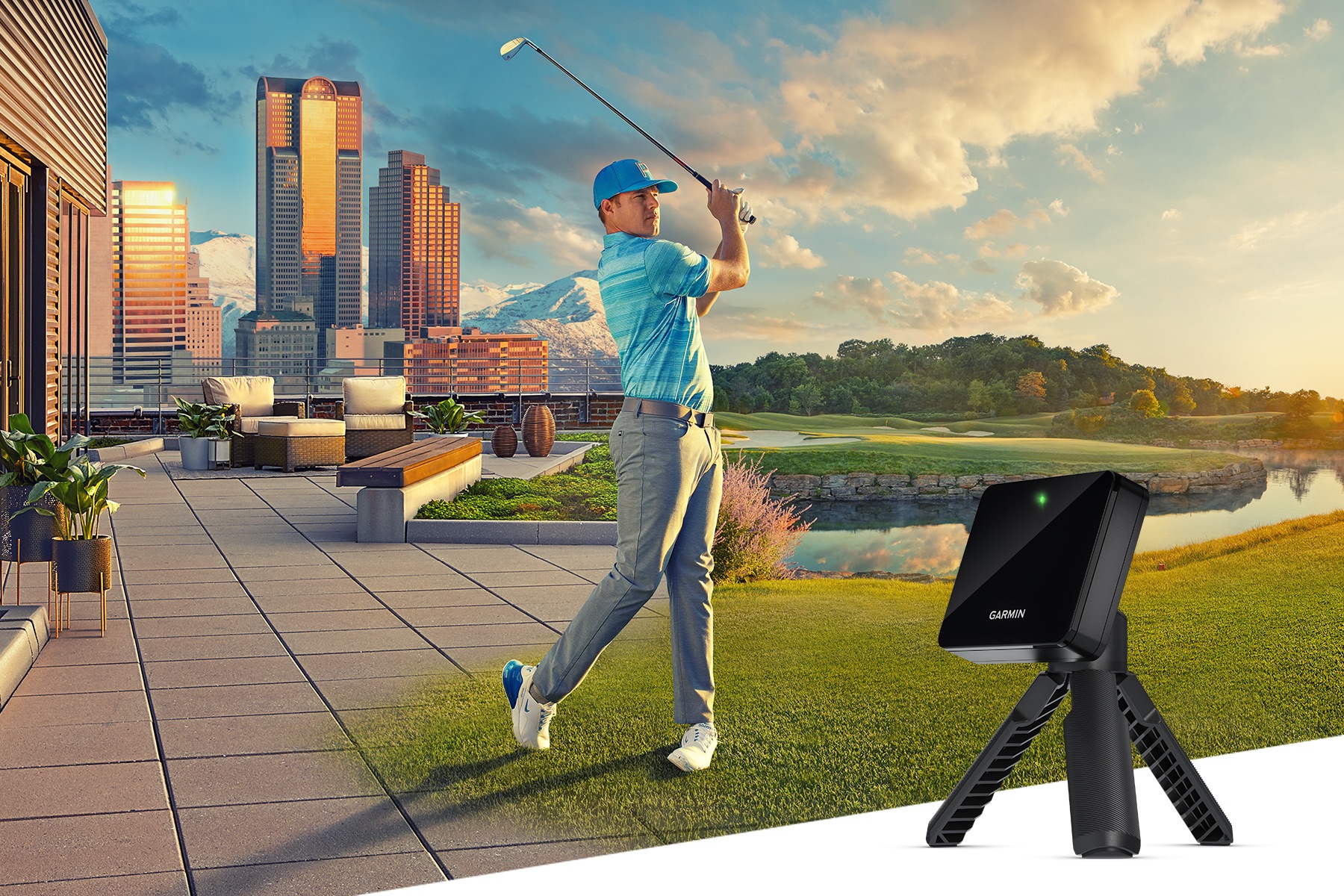
The Approach R10 is the budget benchmark because it brings more than a dozen metrics, Garmin Golf app support, Home Tee Hero simulator play, E6 Connect compatibility, and up to 10 hours of battery life at a low hardware price. Garmin's launch announcement listed the suggested retail price at $599.99.
For a first simulator, the R10 makes sense when you are still learning what you want from the space. It is portable enough to use outdoors, cheap enough to leave budget for a better mat and net, and good enough to make practice less blind than hitting balls into a screen with no data.
Best for: budget buyers, portable practice, and casual home simulator play.
Avoid if: your hitting bay is short. Radar needs careful placement, alignment, and enough ball flight to produce trustworthy indoor numbers.
Best All-In-One Screen: Garmin Approach R50

The Approach R50 is for buyers who want less device juggling. Garmin positions it as a premium launch monitor and simulator with a built-in 10-inch color touchscreen, three high-speed cameras, impact video, and more than 15 ball and club metrics. Garmin's U.S. announcement listed suggested retail pricing starting at $4,999.99.
The built-in display matters in a home simulator because it reduces the number of tablets, stands, and app handoffs around the hitting area. That is useful in a premium garage build where multiple people will practice and you want the system to feel more like equipment than a hobby project.
Best for: premium home users who want an integrated display and camera-based tracking.
Avoid if: you already have a PC/projector setup and would rather put the extra money toward enclosure, turf, or software.
Best Premium No-Subscription Choice: Foresight Sports GC3
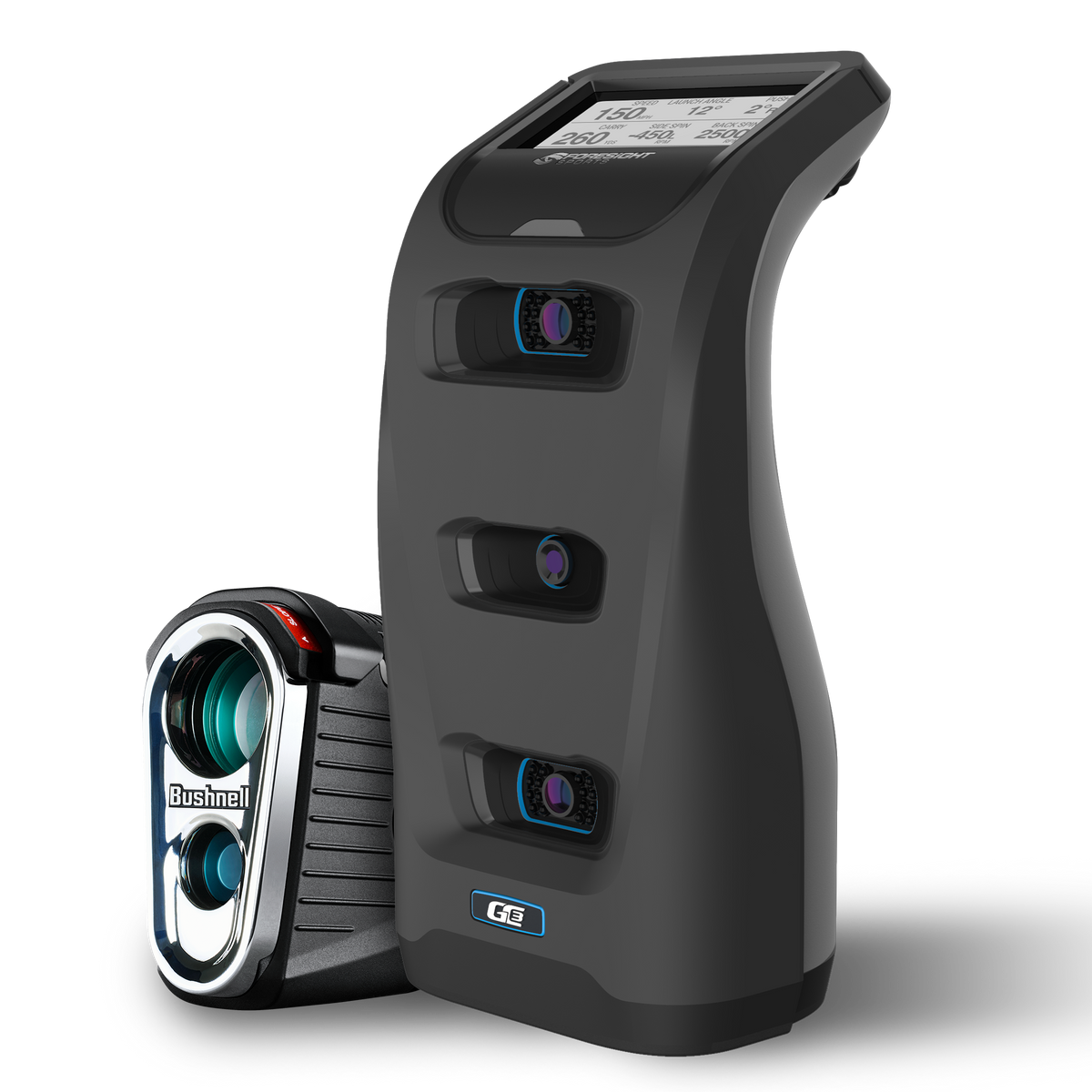
The GC3 is expensive, but it solves a real problem for serious buyers: it is a three-camera launch monitor with full ball and club data, indoor/outdoor use, simulation readiness, and no software subscription required for the unlocked GC3 package. Foresight lists the GC3 at $6,999.
That up-front price makes no sense for casual swing work. It starts making sense when the home simulator is replacing lessons, range sessions, club testing, and year-round practice. It is also the cleanest pick here for golfers who hate buying expensive hardware and then discovering key features sit behind a yearly plan.
Best for: serious home simulator builds where accuracy and ownership simplicity matter more than price.
Avoid if: you are still experimenting with whether a home simulator will become a habit.
Best For Data-Heavy Practice: FlightScope Mevo+
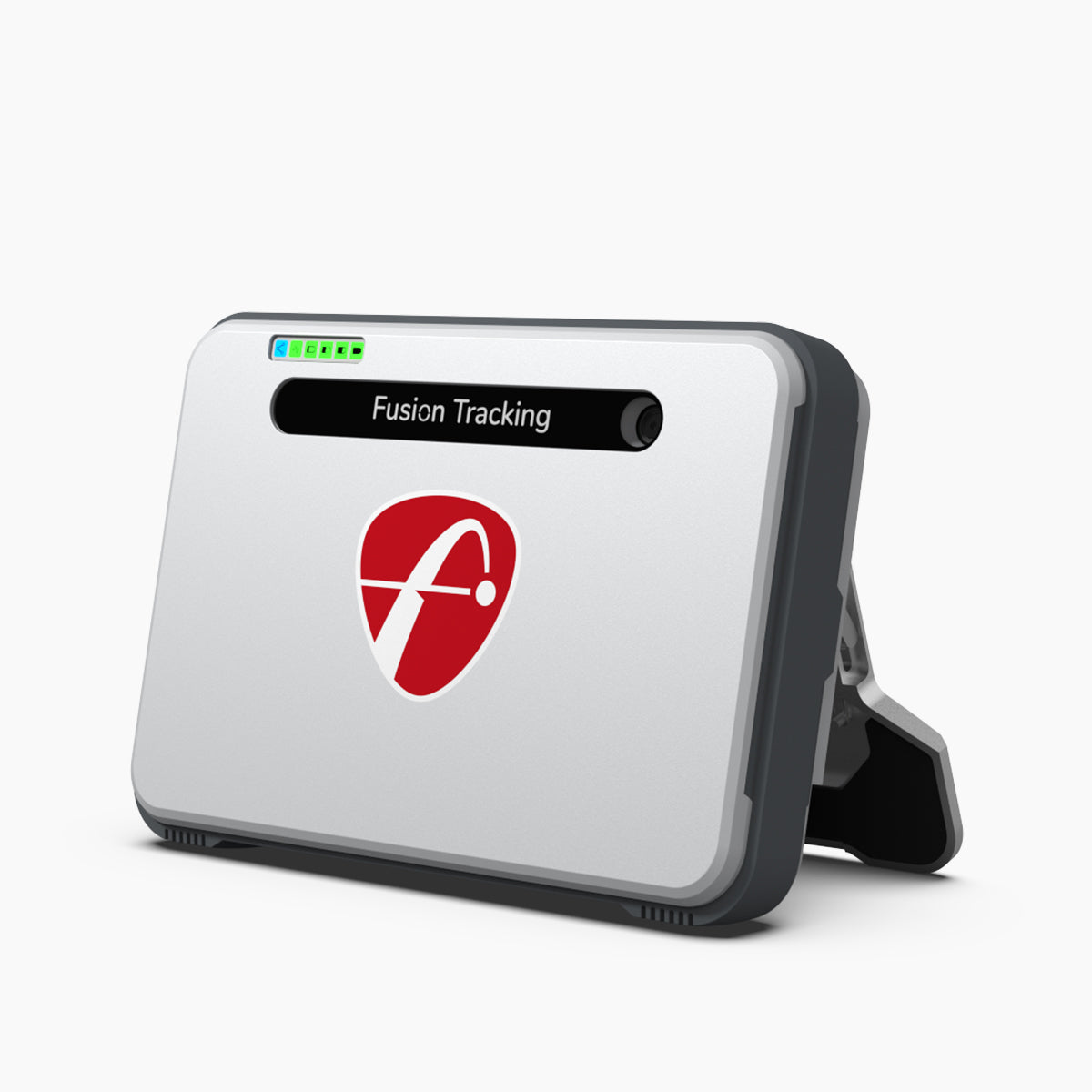
Mevo+ belongs on the shortlist for players who want a broad data set and are willing to manage radar setup requirements. FlightScope describes Mevo+ as a launch monitor and simulator option with full-swing metrics such as ball speed, club speed, smash factor, carry distance, launch angle, spin rate, apex height, flight time, angle of attack, spin loft, launch direction, spin axis, roll distance, total distance, lateral landing, and shot dispersion.
It also includes E6 content, which helps if you want simulator play out of the box rather than only range-style practice. The tradeoff is the same one that follows radar indoors: measure the room first, then buy. As of the May 2026 source check, FlightScope's official direct page shows Mevo+ as sold out and points buyers toward Mevo Gen2, while third-party golf simulator coverage describes remaining Mevo+ units as clearance-priced in roughly the $1,099 to $1,499 range.
Best for: players who want detailed practice feedback and have enough simulator depth.
Avoid if: you need a compact camera unit for a shallow room.
Buying Guide
Start with room depth before brand. A launch monitor that is excellent outdoors can be annoying indoors if the room is too short. Camera-based systems generally fit tighter bays better. Radar systems can be strong values, but they need more disciplined placement.
Then price the whole simulator, not only the launch monitor. A $700 unit can become much more expensive once you add memberships, impact screen, enclosure, mat, projector, gaming PC, and software. A $2,000 to $7,000 unit can look less unreasonable if it avoids subscriptions or works cleanly in the room you already have.
Finally, match the data to your actual practice. Beginners need carry distance, ball speed, launch direction, and shot shape more than a giant dashboard. Better players and fitters will care more about spin axis, angle of attack, club path, face angle, and software export options.
Common Mistakes
- Buying a radar unit before measuring indoor depth.
- Ignoring annual software costs.
- Choosing the launch monitor before deciding whether left- and right-handed players need to share the bay.
- Spending the whole budget on hardware and then using a poor mat.
- Treating current price as permanent; bundles and memberships change often.
FAQs
Which launch monitor should most home simulator buyers start with?
Start with Rapsodo MLM2PRO if your room can handle a radar-plus-camera setup and you want the strongest value. Start with SkyTrak+ if the room is tighter and the simulator will live indoors full time.
Do I need a premium launch monitor for a home simulator?
No. A premium unit is worth it when you practice often, care about club data, or want fewer compromises indoors. Casual players can get plenty of value from Rapsodo MLM2PRO or Garmin R10.
What should I buy first for a home golf simulator?
Choose the launch monitor first, then build the bay around its space and software requirements. After that, prioritize a good mat, safe enclosure, screen, and lighting.
Common questions
Frequently asked questions
- Which launch monitor is best for a garage golf simulator?
- For most garages, start with Rapsodo MLM2PRO or SkyTrak+. MLM2PRO is the better value if you have enough ball flight and want video feedback; SkyTrak+ is easier to fit in tighter indoor bays.
- Is Garmin R10 good enough for a home simulator?
- Yes for budget practice and casual simulator play, but it needs more depth behind and in front of the ball than camera-based units. It is not the best choice for very tight indoor spaces.
- Should I buy a launch monitor before the screen, mat, and projector?
- Yes. The launch monitor determines your room-depth needs, software choices, hitting position, and whether left- and right-handed golfers can share the bay comfortably.
References
Sources
Keep reading
Related guides

Best Golf Simulator Projector (2026): 8 Picks Ranked by How Far Back They Hang
Eight golf simulator projectors ($849-$5,639) ranked by the mount distance they need for a 10-foot screen. Required throw distance spans 3.57x.
Aug 14, 2026

Best Golf Hybrids for Seniors (2026): 7 Lightweight, High-Launch Picks
The best golf hybrids for seniors in 2026: seven lightweight, high-launch picks in senior and light flex, ranked for slower swing speeds.
Jul 27, 2026
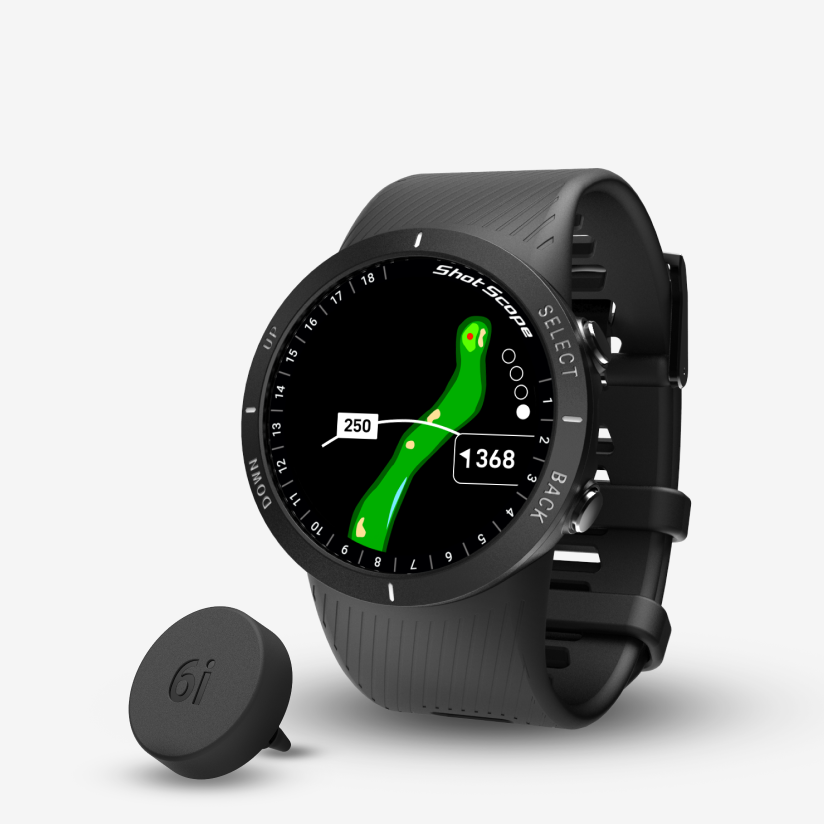
Best golf GPS watches for walking 18 holes: battery life is what matters (2026)
5 GPS watches ranked by battery life for walking golfers. The one pick that survives a slow 6-hour round — and the popular watch that doesn't.
Jul 1, 2026

Best Golf Simulators for Small Spaces in 2026
Golf simulators for rooms with 8–9 ft ceilings, narrow garages, or shallow basements — ranked constraint-first so you only see picks that actually fit.
Jul 1, 2026